SwitchBot Curtain 3 Review
Likely the first thing you do in the morning is the simple act of opening the curtains. It’s not really something you think about. It’s habitual, almost automatic. But what if it actually could be automatic? And would that small shift make any meaningful difference to how a space feels, performs and even costs to run? After installing the SwitchBot Curtain 3 units (£99/$89 each) across a four-metre run of heavy bifold curtains at the studio, we’ve been living with them long enough to find out.
Design
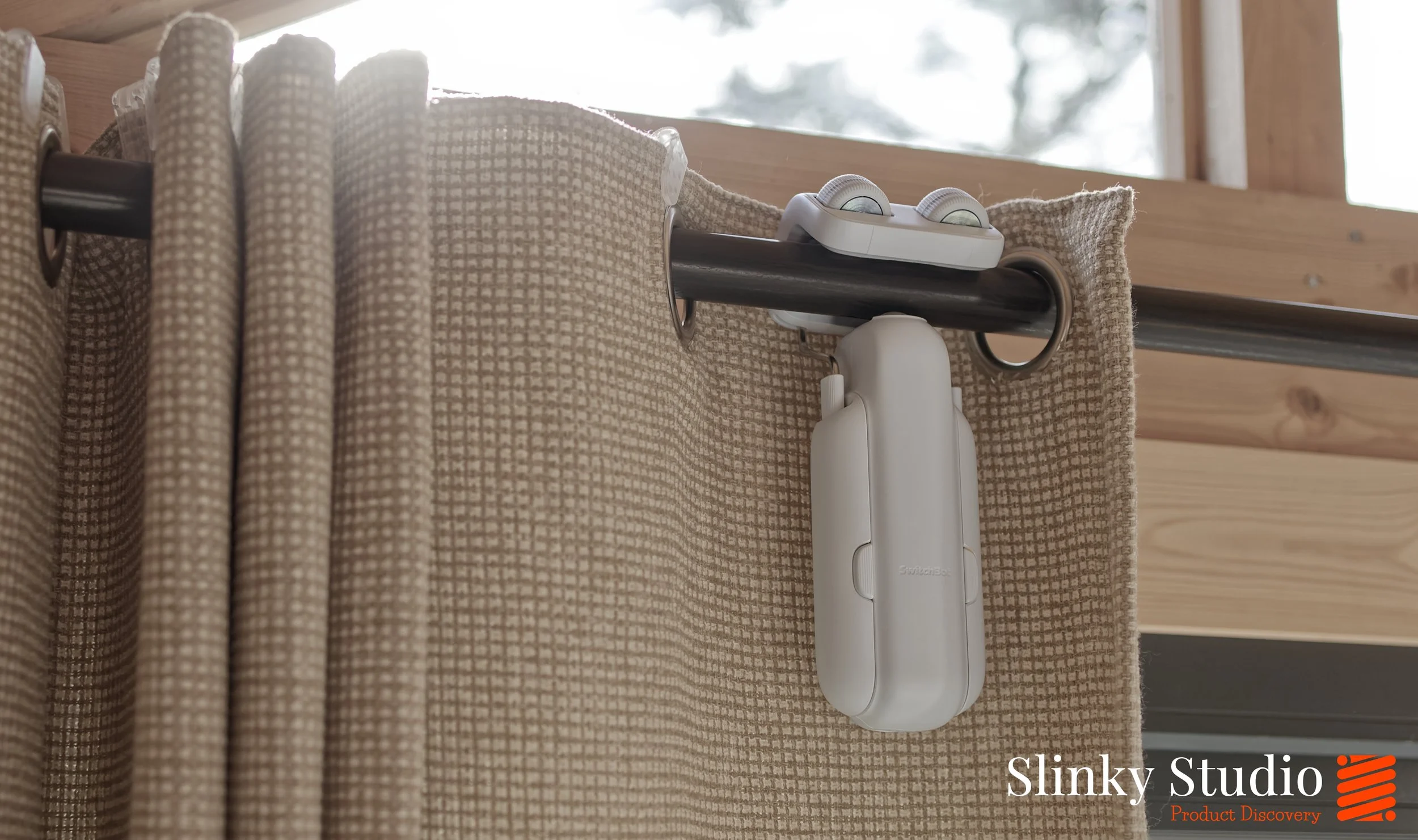
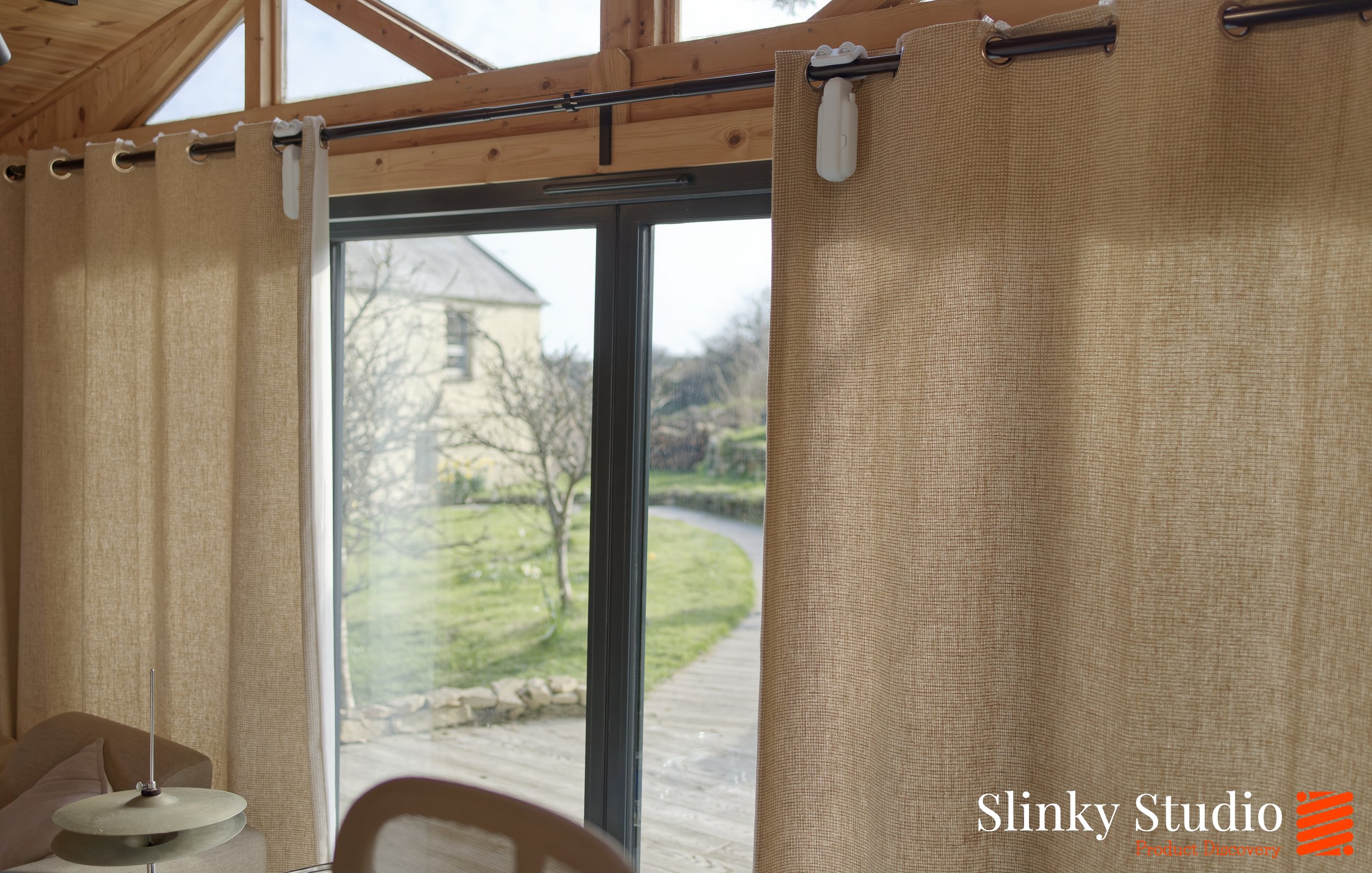
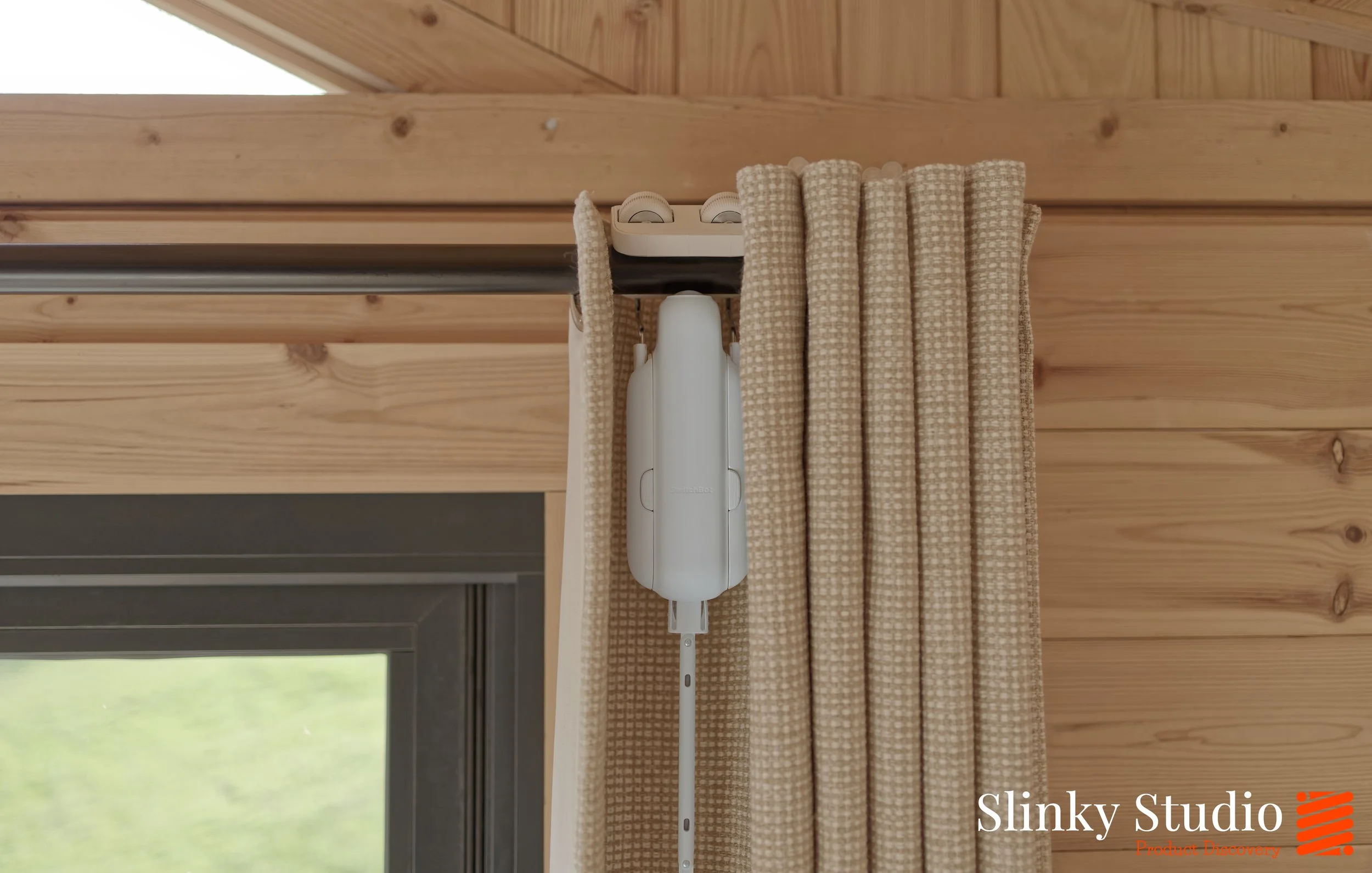
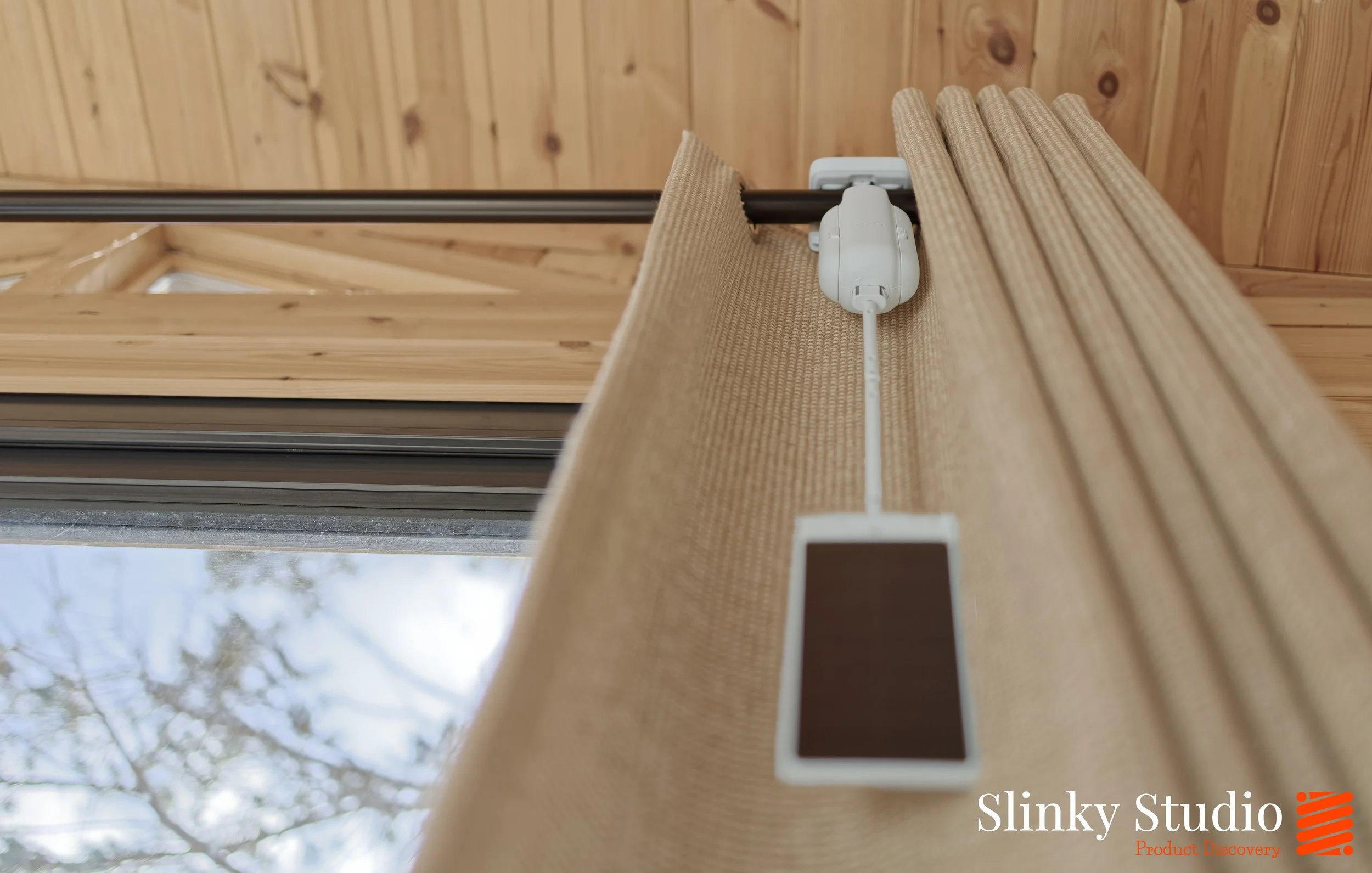
We expected the SwitchBot Curtain 3 to look… obvious. Like a gadget clipped onto something that was never meant to be motorised. But they actually blend in far better than anticipated on our lighter curtain material; the white body becomes surprisingly subdued, even with the separate solar charger accessory dangling. They don't scream 'smart home tech bolted on as an afterthought'. Instead, once they are up on the rail and tucked behind the fabric folds when the curtains are open, they just kind of disappear into the background. That said, they only come in white, so if you’re running darker, heavier drapes, they may stand out more.
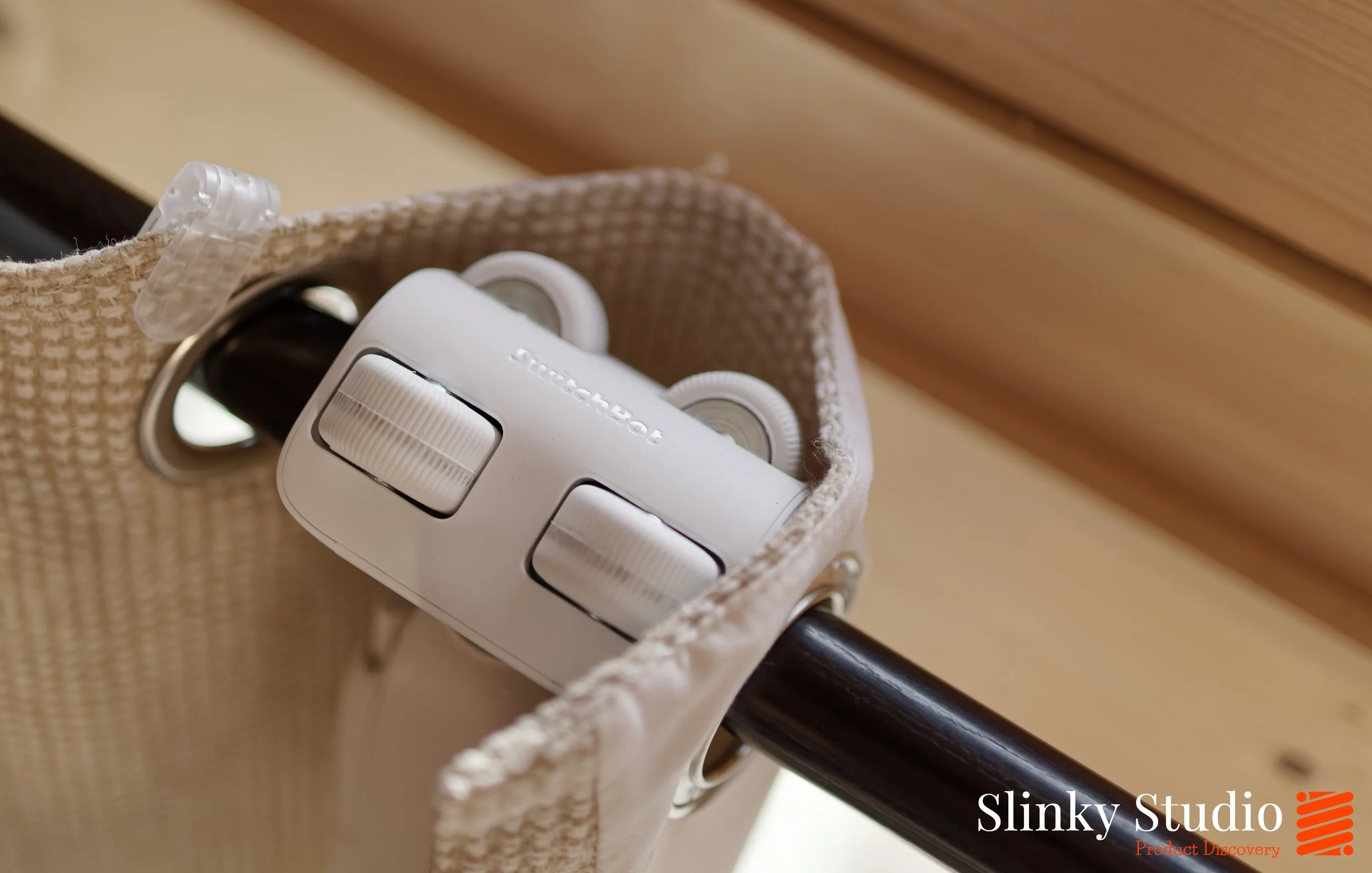
Physically, these are properly put together. There’s a reassuring solidity to them; they are certainly not hollow, not creaky and not lightweight in a worrying way. The wheels in particular are impressive. They’re rubberised, with genuine grip, not hard plastic rollers that feel like they’ll chew through your rail over time; you can tell they’re designed for repetition. After sending it back and forth along the rail hundreds of times during day-to-day scheduled opening and closing, there’s been no sign of wear. No wobble. No loosening. No scraping marks. They feel like a product built for years of daily cycles.
There’s a single button on the body which acts as the manual control and pairing trigger. A quick press will open or close the curtains, while holding it down handles setup and calibration.

Setup
The most striking thing about the installation of the SwitchBot Curtain 3 is that no tools are required and, most importantly, the curtains can remain hanging as you install. To accommodate different rail styles, SwitchBot offers versions for Rod Type (like ours) and U-Rail systems.
Our installation is for two units, one for each curtain half, onto a metal pole, and it takes less than a minute to hook the mechanism over the pole and attach the units’ sides on, and then it’s done. They can realistically be installed on a variety of pole circumferences, thick to thin, and styles of curtains such as extendable rod, back tap, grommet, tab top and ring top, supporting up to 16kg in weight, so hefty curtains can absolutely take part here.
The SwitchBot Curtain 3 needs calibrating so it understands the limits of your window; where fully open ends and fully closed begins. This is done through the app, and it involves sending the unit back and forth along the rail while it maps the distance and resistance. A little magnet is included with the SwitchBot Curtain 3 and can either be stuck, or magnetically attached as in our case, to the pole; it helps the robot understand the fully closed position of your curtains. This improves positioning accuracy and helps prevent small gaps in the middle; especially useful if you’re using two Curtain 3 units like us.
Do they work?
Ours are installed across a four-metre run, operating two particularly heavy curtains that cover four bifold doors. It’s not a lightweight test case. If there were going to be strain, hesitation, or motor fatigue, we’d expect to see it here first. But every morning we arrive at the studio with them fully open, without any issues, after three months.
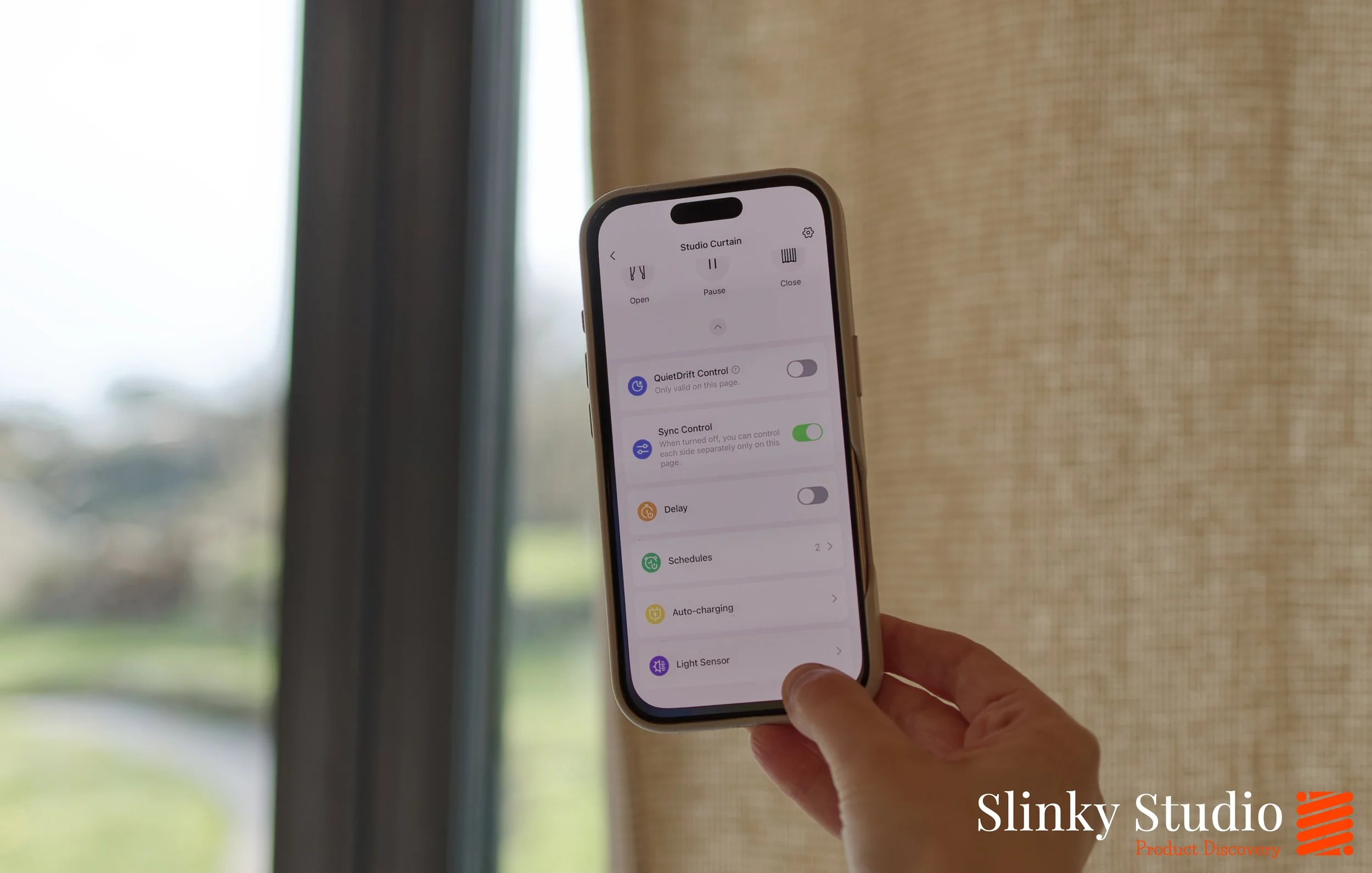
If you’re installing them in bedrooms or areas where quietness is of importance, there is a QuietDrift mode that really is silent in operation. Travelling at 5mm per second, the movement is effectively silent; it’s also designed to be a subtle way of letting morning light spill into a space rather than flooding it abruptly, thus making waking up a bit gentler.
Thermal gain is probably one of the most overlooked benefits of smart curtains. With the SwitchBot Curtain 3 installed on our south-facing bifold doors at the studio, we’ve scheduled them to open at sunrise during colder months. Passive solar gain does the rest. From our smart heater app, we can see the required kilowatt-hours needed to reach our target temperature drop by as much as 80% on bright winter mornings, and as the space is well insulated, that free heat is retained well during working hours. It’s one of those background efficiencies that quietly adds up, and over the course of a year it will save a few hundred pounds in energy costs.
In the peaks of summer, sometimes we want to do the opposite and keep the curtains closed. We initially wondered whether the wider SwitchBot ecosystem paired with the Hub 2 could be configured with a rule such as: when the room reaches 24°C, close the curtains. At present, temperature-based triggers for the Curtain 3 itself aren’t the approach for this, but surely could be added as a feature? In the current reality, though, you don’t necessarily need a temperature-based trigger to make this useful. The light sensor built into the solar panel accessory can automatically close the curtains once brightness passes a chosen threshold, blocking direct sunlight, and it can help to retain a cooler space.
We don’t quite understand how the SwitchBot Curtain 3 units manage to stay charged just from the Solar Panel 3s. We’ve never plugged them in to charge from the mains since they arrived at the studio. With only sunlight emitting through the windows that all have UV protection, somehow both have perpetually carried on working, and this has been through a brutal winter with some weeks that are just filled with back-to-back days of continuous cloud. We’d highly recommend getting the Solar Panel 3 units with the Curtain 3 units!
The App
If you own just the SwitchBot Curtain 3 units, you can use the app to set a schedule, manually open or close them to any position, or assign them to a new zone. It’s a very snappy communicator with the devices and commands are acted upon instantly.
However, it does require you to be in reasonable proximity to them. Ours are installed in an external building, which makes it difficult to close them remotely if we’re heading out early and the scheduled opening or closing isn’t due for a few hours.
This is where the £79.99 SwitchBot Hub 2 we have comes into play. It connects to all your SwitchBot devices and then links to your network, allowing you to control everything remotely from anywhere in the world. It also has a few other nifty tricks, but importantly, it supports Matter, meaning it will work with Apple HomeKit, Alexa, Google Home and many others.

Verdict
For something that fundamentally changes how your curtains operate, the installation of the SwitchBot Curtain 3 feels surprisingly low effort, and that’s probably its biggest strength. It doesn’t require rewiring your home. It doesn’t demand new rails. It simply clips onto what you already have in seconds. The app makes scheduling/controlling them easy, and they quietly get on with the job (they’re truly silent in QuietDrift mode). Three months in, across heavy bifold curtains and through a full winter, they've proved reliable, and always remain charged using the solar panel accessories. Added to this the thermal gain advantages from drawing in that early morning sun have been considerable. The SwitchBot Curtain 3 feels considered rather than looking like a science experiment taped to your curtains, and we look forward to installing more units.